
Learn how AI workspace automation and AI agents can automate multi-step workflows, reduce repetitive work, and help teams do more.
TL;DR
- AI workspace automation uses AI to handle tasks and connect multiple steps within a business workflow.
- AI agents can go beyond simple task automation by interpreting information, making workflow decisions, and completing multi-step processes.
- Businesses can automate research, reporting, document creation, monitoring, information gathering, and other repetitive workflows.
- Effective AI automation requires the right workflow, reliable data, appropriate human oversight, and suitable integrations.
- Aiwork brings specialized AI applications into one workspace, helping businesses apply AI to practical professional workflows.
AI workspace automation uses artificial intelligence to coordinate multiple steps of a business workflow, from gathering and interpreting information to producing an output or triggering the next action.
The key distinction is between automating a task and automating a workflow. A task might involve summarizing a document. A workflow could involve gathering source material, analyzing the findings, validating key information, preparing a report, and routing it to a reviewer.
AI agents can support these more complex workflows by working with information and connected tools, determining what needs to happen next, and carrying out multiple steps toward a defined objective. NIST describes an AI agent as software that can interact with an environment, receive information, and take self-directed actions toward an externally specified goal.
That does not mean every workflow should be fully autonomous. Effective AI automation depends on well-defined processes, reliable data, appropriate access controls, ongoing evaluation, and clear boundaries for human oversight and decision-making.
Aiwork takes this approach by bringing specialized AI applications into one workspace, helping businesses apply AI to practical workflows rather than treating automation as just another standalone tool.
Recommended for You: AI Workspace: The Complete Guide to AI-Powered Work in 2026
What Is AI Workspace Automation?
AI workspace automation is the use of AI within a centralized workspace to handle tasks and connect multiple steps of a business process. Instead of using AI for isolated tasks, businesses can build workflows where AI helps gather information, analyze it, complete tasks, and produce an output.
How AI Workspace Automation Works
An AI-powered workflow typically moves through several connected steps:
- Understand: Identify the task, request, or goal.
- Gather: Collect the relevant information and data.
- Analyze: Process the information and identify useful insights.
- Act: Complete the required tasks based on the available information.
- Output: Produce a report, document, recommendation, alert, or other result.
- Review: Escalate important decisions or outputs for human review where needed.
This allows businesses to move from using AI for individual tasks to applying it across an entire workflow.
What AI Agents Do in an Automated Workflow
AI agents can take on multiple steps within a workflow rather than waiting for an employee to prompt them at every stage. They can interpret information, determine what needs to happen next, use available tools or data, and continue working toward a defined outcome.
For example, an AI agent supporting research could gather relevant information, analyze it, identify key findings, and help turn those findings into a structured report.
AI Workspace Automation vs. Traditional Automation
Traditional automation generally follows predefined rules. It works well when the same inputs consistently produce the same actions.
AI workspace automation can handle workflows that involve less predictable information and require interpretation or analysis. AI agents can respond to changing inputs and determine appropriate next steps rather than simply following a fixed sequence of rules.
Why Businesses Are Using AI Workspace Automation
Businesses are adopting AI workspace automation because many workflows contain repetitive steps that consume employee time but do not necessarily require manual execution.
Reduce Repetitive Work
AI can handle routine activities such as information gathering, summarization, document preparation, reporting, and monitoring. This reduces the amount of manual work employees need to perform repeatedly.
Improve Workflow Efficiency
Connecting multiple AI-powered tasks can reduce delays between steps. Instead of completing each stage manually, employees can have AI handle appropriate parts of the workflow and deliver a more complete output.
Connect Multiple Tasks Into One Process
A business workflow rarely consists of one task. Research may lead to analysis, analysis may lead to reporting, and reporting may lead to a decision.
AI agents can connect these stages, helping information move through the workflow without requiring employees to manually coordinate every step.
Help Teams Focus on Higher-Value Work
When AI handles repetitive parts of a process, employees can spend more time on activities that require judgment, creativity, communication, and decision-making.
Scale Workflows Without Increasing Manual Effort
As business activity grows, repeating the same manual processes can put additional pressure on teams. AI workspace automation can help businesses handle more workflow volume without increasing manual effort at the same rate.
Recommended Article: AI Workspace Benefits: Key Advantages for Businesses & Real-World Examples
What Can AI Workspace Automation Handle?
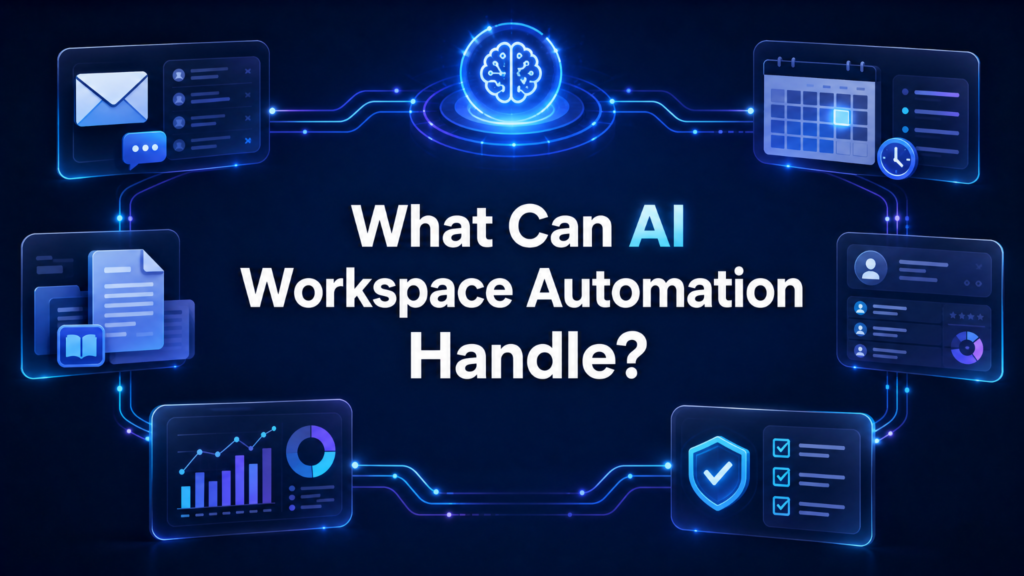
AI workspace automation can support a wide range of business activities, especially workflows involving repetitive tasks, large amounts of information, or multiple connected steps.
Automated Research
AI can:
- Gather relevant information
- Analyze sources
- Identify key findings
- Organize research into useful outputs
Orion Insights supports research and analytical workflows within Aiwork.
Automated Reporting
AI can:
- Collect and organize information
- Summarize findings
- Structure business reports
- Turn research into presentations
Saras Reports helps transform research and business information into reports and editable presentations.
Automated Document Creation
AI can turn information, notes, research, and existing documents into structured business outputs, reducing the manual effort involved in drafting and formatting.
Task and Process Automation
AI can handle repetitive workflow steps such as:
- Information processing
- Categorization
- Summarization
- Follow-ups
- Routine administrative tasks
Information Gathering and Summarization
AI can collect relevant information and condense large amounts of material into concise summaries, helping teams understand important information faster.
Monitoring and Business Intelligence
AI can track relevant developments, identify significant changes, and surface useful insights. Hermes X supports market intelligence and monitoring workflows for businesses.
How AI Agents Automate Multi-Step Workflows
AI agents can handle several connected stages of a workflow rather than requiring employees to initiate every task individually.
Understand the Task
The agent interprets the request, identifies the objective, and determines what needs to be accomplished.
Gather Relevant Information
It collects the information, documents, or data required to complete the workflow.
Process and Analyze Information
The agent reviews the available information, identifies relevant details, and produces the analysis needed for the next step.
Complete the Required Actions
Based on the task and available information, the agent carries out the appropriate actions within the workflow.
Generate and Deliver the Final Output
The completed work can become a:
- Report
- Document
- Summary
- Alert
- Recommendation
- Other required business output
Escalate Tasks That Require Human Review
Not every decision should be handled independently by AI. Workflows involving sensitive information, significant financial impact, compliance, or other consequential decisions can include human review before completion.
AI Workspace Automation Across Business Functions
AI workspace automation becomes more useful when applied to specific business functions. Aiwork supports this approach through specialized applications designed around different professional workflows.
HR Workflow Automation
AI can help HR teams streamline repetitive processes such as candidate screening, recruitment support, employee documentation, and other administrative workflows. Freddie HR provides specialized AI support for HR work.
Finance and Accounting Automation
Finance teams can use AI to organize financial information, support accounting processes, analyze data, and prepare financial outputs. Luca Accounts is designed to support finance and accounting workflows.
Research and Investment Workflow Automation
Research teams can automate parts of the process involved in gathering information, analyzing companies, reviewing financial data, and preparing research outputs. Orion Insights supports equity research and analytical workflows.
Market Intelligence Automation
Businesses can automate the monitoring of market developments, company updates, competitors, and emerging trends. Hermes X supports market intelligence and monitoring workflows, helping teams stay informed without manually tracking every development.
Reporting and Presentation Automation
AI can turn research, documents, and business information into structured reports and presentations. Saras Reports helps professionals create reports and editable presentations from their existing materials.
Recommended: AI Workspace Use Cases: How Businesses Improve Productivity with AI
Real-World AI Workflow Automation Examples
The value of AI automation becomes clearer when looking at how multiple tasks can work together as a single process.
Research to Report
An AI workflow can gather relevant information, analyze findings, organize key insights, and turn the results into a structured report. This can reduce the manual effort involved in moving from research to a finished business document.
Data to Business Insight
AI can process business data, identify patterns or important changes, summarize the findings, and present the information in a format that supports decision-making.
Market Monitoring to Alert
An automated workflow can monitor relevant companies, markets, or developments, identify significant changes, and surface important information for the team to review.
Information Gathering to Document
AI can collect information from relevant sources, organize the findings, summarize key points, and turn them into a structured document without requiring employees to manually complete every step.
Request to Completed Business Workflow
A more advanced AI workflow can start with a business request and move through several connected tasks, from gathering information and performing analysis to producing the required output. Human employees can remain involved at important review or decision points while AI handles appropriate parts of the process.
What to Look for in an AI Automation Platform
Choosing an AI automation platform requires looking beyond the ability to automate individual tasks. The platform should support real business workflows while giving teams enough control to manage how AI is used.
AI Agent Capabilities
Look for agents that can understand context, work through multiple steps, use relevant information, and complete tasks toward a defined outcome.
Workflow Flexibility
The platform should support different types of workflows rather than forcing every business process into the same structure. The ability to adapt workflows as business needs change is equally important.
Business Integrations
Integrations allow AI workflows to work alongside existing business systems. Check whether the platform connects with the tools and data sources teams already rely on.
Data and Security Controls
Business AI may handle sensitive information, so evaluate how the platform manages:
- Data access
- User permissions
- Security controls
- Data privacy
- Information sharing
Human Oversight
AI automation should include appropriate points for human review, particularly for workflows involving financial decisions, compliance, sensitive information, or other high-impact outcomes.
Scalability
The platform should support growing usage across additional users, teams, workflows, and business functions without creating unnecessary complexity.
Ease of Use
Employees should be able to understand and use the platform without extensive technical expertise. A complicated automation platform can limit adoption even when its underlying capabilities are strong.
For more Insights, read: AI Workspace for Businesses: Best AI Co-worker for Teams
Aiwork: AI-Powered Workflow Automation
Aiwork brings specialized AI applications into one workspace, giving businesses a way to apply AI to different professional workflows without managing a separate platform for every function.
Specialized AI Applications for Different Workflows
Aiwork provides specialized applications designed around professional use cases:
- Freddie HR: HR and recruitment workflows
- Luca Accounts: Finance and accounting workflows
- Orion Insights: Research and analytical workflows
- Hermes X: Market intelligence and monitoring
- Saras Reports: Reporting and presentation workflows
AI Support Across Business Functions
Instead of limiting AI to one department, Aiwork provides specialized capabilities across HR, finance, research, market intelligence, and reporting. This allows businesses to apply AI where it can support actual professional work.
Automating Professional Work From One Workspace
Aiwork provides a centralized environment where businesses can access specialized AI capabilities and apply them to workflows that involve research, analysis, information processing, reporting, and other professional tasks.
Turning AI Capabilities Into Practical Workflows
The value of AI comes from how it is applied. Aiwork focuses on connecting specialized AI capabilities with real business workflows, helping teams move from individual AI tasks toward more useful, repeatable processes.
Common Mistakes When Automating Workflows With AI Agents
AI automation can create significant efficiency gains, but poor implementation can limit its value. Businesses should avoid treating automation as something that can be applied to every workflow without planning.
Automating the Wrong Workflow
Start with a workflow that is repetitive, time-consuming, and suitable for AI support. Automating a poorly defined or low-value process will not create meaningful business impact.
Automating Without Human Oversight
Not every step should be left to AI. Workflows involving sensitive information, financial decisions, compliance, or other high-impact outcomes need appropriate human review.
Assuming AI Outputs Are Always Accurate
AI can produce incorrect or incomplete information. Important outputs should be reviewed and, where necessary, checked against reliable source material before being used.
Ignoring Data Quality
AI workflows depend on the information they receive. Inaccurate, incomplete, outdated, or poorly structured data can lead to unreliable outputs.
Automating Without Measuring Results
Automation should have a clear purpose and measurable outcome. Track metrics such as:
- Time saved
- Workflow completion time
- Output quality
- Error rates
- Employee adoption
- Business impact
This makes it easier to determine whether an AI workflow is actually delivering value.
FAQs
AI workspace automation uses AI within a centralized workspace to handle tasks and connect multiple steps of a business workflow. Instead of using AI for isolated tasks, businesses can use it to gather information, analyze it, complete actions, and produce useful outputs.
AI agents can interpret a task, gather relevant information, analyze it, complete required actions, and generate an output. They can also adapt to changing information and move between different steps without requiring an employee to manually initiate every stage.
Traditional automation typically follows predefined rules and works best with predictable processes. AI automation can handle workflows that involve changing information, interpretation, analysis, and more flexible decision-making.
AI agents can support workflows involving research, analysis, reporting, document creation, information gathering, market monitoring, HR, finance, accounting, business intelligence, and routine administrative tasks. The level of automation depends on the workflow, available data, integrations, and required human oversight.
Yes. Small businesses can use AI workspace automation to reduce repetitive work and support functions such as research, reporting, HR, finance, and market intelligence. A centralized AI workspace can also help smaller teams access multiple specialized capabilities without managing a separate platform for every workflow.
Final Thoughts on AI Workspace Automation
AI workspace automation is moving businesses beyond simple AI assistance toward workflows where AI can handle multiple connected tasks.
When applied to the right processes, AI agents can reduce repetitive work, improve efficiency, and help teams focus on higher-value responsibilities.
Aiwork brings specialized AI applications into one workspace, giving businesses a practical way to apply AI across research, finance, HR, market intelligence, reporting, and other professional workflows.
What if your business workflows could run with less manual effort? Explore Aiwork and put specialized AI agents to work across research, reporting, finance, HR, market intelligence, and more.