
Discover the best free AI Accountants for automated bookkeeping in your business. Learn how to automate invoicing, reconciliation, and reporting with Luca Accounts, Booke AI, Akaunting, and ZipBooks.
TL;DR
- AI accountants handle bookkeeping tasks like tracking expenses, reconciling transactions, and creating invoices.
- They use machine learning to organize data, generate reports, and automatically forecast cash flow.
- The best free AI accounting tools are Luca Accounts by Aiwork, Booke AI, Akaunting, and ZipBooks.
- AI bookkeeping saves time, reduces errors, and gives small businesses a clearer view of their finances.
- Luca Accounts stands out as the most complete and truly free AI accountant for small businesses.
Bookkeeping is one of those business tasks that few owners enjoy, yet it never seems to end. You finish reconciling one set of transactions, and another stack of receipts, invoices, and expenses is already waiting. According to SCORE, small business owners spend more than 20 hours each month on financial tasks such as accounting and invoicing. That is valuable time that could be spent serving customers, growing revenue, or developing new products.
Artificial intelligence is changing that. Modern AI accounting tools can automate much of the bookkeeping process, from categorizing transactions and reconciling accounts to generating reports and forecasting cash flow. Instead of getting buried in spreadsheets, business owners can keep their finances organized while focusing on the activities that actually drive growth.
In this guide, we’ll explore four of the best free AI accountants available, including Luca Accounts by Aiwork. You’ll learn how these tools work, what makes each one unique, and how to choose the right AI bookkeeping solution for your business.
Why AI Bookkeeping Matters for Small Businesses
For small business owners, time is often the most limited resource. Every hour you spend balancing accounts or sorting receipts is an hour taken away from growing your business. That is where AI bookkeeping really proves its value.
AI accountants handle the tasks that used to take up entire afternoons. They handle everything from organizing expenses to generating reports, giving you more time to focus on your products, customers, and goals.
Here is why AI bookkeeping has become essential for small businesses:
- It saves time. Repetitive tasks like reconciliation, invoicing, and expense tracking happen automatically.
- It reduces mistakes. AI systems check your data with precision, catching small errors before they become bigger problems.
- It lowers costs. Free and low-cost AI accounting tools replace the need for manual data entry or expensive software.
- It improves insight. Real-time financial data helps you see what is working and where money is being lost.
- It grows with you. Most AI tools adapt to your business size, handling more data as you expand.
Example: A Freelancer was spending 12 hours each month manually reconciling her invoices. After switching to Luca Accounts, she reduced that time to just 2 hours, freeing her to focus on client projects and business development.
The best part is that you do not have to be a financial expert to use them. Modern AI accountants are designed for business owners, not accountants. They simplify everything so that you can manage your books confidently and make better financial decisions without the stress.
Measuring the Return on Investment of AI Bookkeeping
Small businesses often hesitate to adopt new financial software because of cost concerns. However, the savings generated through automation can be substantial.
Businesses that automate bookkeeping can:
- Reduce manual accounting time by up to 70%.
- Process invoices significantly faster.
- Minimize costly data entry errors.
- Improve cash flow visibility through real-time reporting.
For a small business owner spending 10 to 15 hours each month on bookkeeping, automation can free up more than 100 hours annually. Those hours can then be redirected toward customer acquisition, sales, product development, or strategic planning.
When evaluating AI accounting software, consider both direct cost savings and the value of recovered time.
How AI Bookkeeping Software Automates Accounting Tasks
AI bookkeeping software simplifies financial management by automating many of the repetitive tasks traditionally handled manually. Instead of spending hours entering transactions, reconciling accounts, or creating reports, businesses can rely on AI to process financial data automatically and provide real-time insights.
Most AI accounting platforms follow a similar workflow.
Connect Financial Accounts
The process begins by connecting your business bank accounts, credit cards, payment platforms, or existing accounting systems. Many AI bookkeeping tools integrate with platforms such as QuickBooks, Xero, Stripe, and PayPal, allowing financial data to flow automatically into a centralized dashboard.
Import and Organize Financial Data
Once connected, the software continuously imports transactions, invoices, receipts, and expenses. This eliminates manual data entry while ensuring financial records remain accurate and up to date.
Automatically Categorize Transactions
Using machine learning algorithms, AI accounting software analyzes each transaction and assigns it to the appropriate category, such as revenue, subscriptions, travel expenses, payroll, or office costs. Over time, the system learns from previous activity, improving categorization accuracy and reducing the need for manual adjustments.
Reconcile Accounts Automatically
AI bookkeeping platforms can automatically match bank transactions with invoices, payments, and receipts. This reconciliation process helps identify discrepancies, reduce errors, and significantly decrease the time spent balancing accounts.
Generate Financial Reports Instantly
Most AI accounting tools can create essential financial reports, including profit and loss statements, balance sheets, cash flow reports, and expense summaries in seconds. These reports give business owners a clear view of their financial performance at any time.
Forecast Cash Flow and Financial Trends
Advanced AI accountants go beyond bookkeeping by analyzing historical financial data to predict future cash flow, identify spending patterns, and highlight potential financial risks. These predictive insights help businesses make smarter financial decisions and plan for sustainable growth.
By automating these processes, AI bookkeeping software enables businesses to save time, reduce costly errors, improve financial visibility, and focus more resources on growth and strategic decision-making.
Common Challenges of Using AI Accounting Software
While AI accountants can automate much of the bookkeeping process, businesses should still understand their limitations.
Common challenges include:
- Incorrect transaction categorization during initial setup.
- Difficulty processing unusual or one-off transactions.
- Limited support for industry-specific accounting requirements.
- Dependence on accurate bank feeds and integrations.
- Need for periodic human review to ensure compliance.
Businesses should regularly review AI-generated entries, especially during the first few months. Most platforms improve accuracy over time as they learn from corrections and historical financial data.
AI works best as an assistant rather than a complete replacement for professional financial oversight. For tax planning, audits, or regulatory compliance, consulting an accountant remains important.
Try these 4 Free AI Accountants for Small Businesses
Now that you know how AI bookkeeping works and why it matters, let’s look at the tools that actually make it possible.
Many accounting apps claim to use AI, but only a few truly help small businesses automate real bookkeeping tasks.
The four tools below are the ones that genuinely stand out. They make bookkeeping faster, simpler, and more accurate without adding extra costs.
1. Luca Accounts (by Aiwork): Best Overall Free AI Accountant
Overview
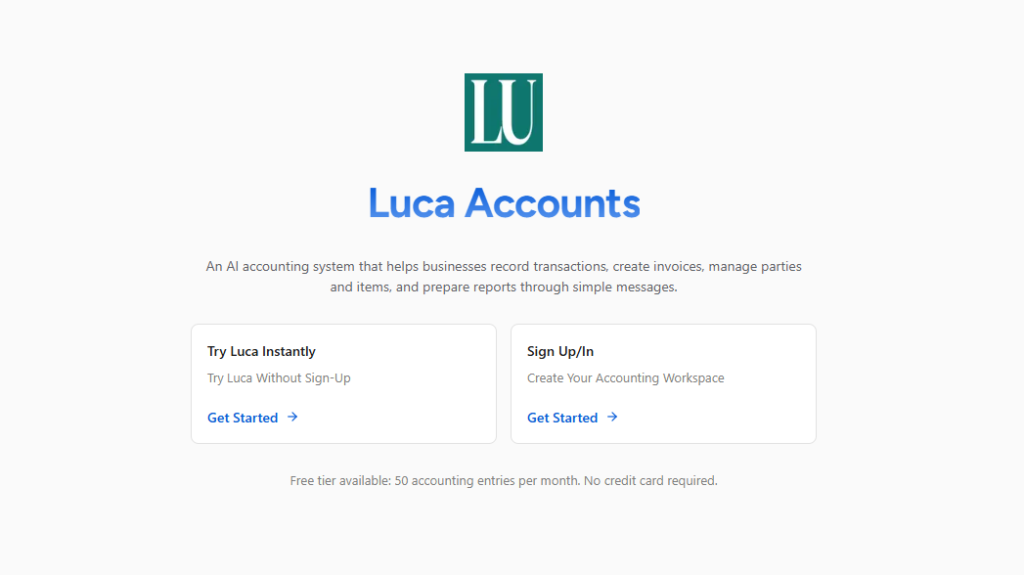
Luca Accounts is built for business owners who want their bookkeeping to run automatically.
Created by Aiwork, a suite of AI Professionals for Investors and Businesses. It brings real artificial intelligence to small business accounting in a way that feels natural. Once you connect it to your accounts, Luca Accounts starts learning how your business operates and organizes everything on its own.
Luca Accounts automates nearly every bookkeeping task. Connect it to your bank accounts, invoices, and expenses, and it starts categorizing transactions, generating reports, and predicting cash flow automatically.
Key Features
- Automatically categorizes transactions and learns your spending patterns
- Creates tax-ready reports and profit summaries in seconds
- Predicts cash flow and upcoming expenses through built-in analytics
- Let’s you ask questions in plain language, such as “What were my total sales this month?”
- Provides useful insights to help you make smarter financial decisions
Ideal User:
Freelancers, small business owners, and startup teams who want a reliable AI accountant that does the work in the background.
Limitations
- Focused on automation rather than customization
- May not replace advanced software for complex corporate accounting
Mini Case Study:
A small e-commerce startup using Luca Accounts cut manual bookkeeping time from 15 hours a month to just 1 hour. Their CFO reported zero transaction errors after three months.
Verdict:
Luca Accounts is completely free with no restrictions or trial limits. It delivers professional-level bookkeeping automation that small business owners can trust from day one.
2. Booke AI: Best for Automated Data Extraction and Categorization
Overview
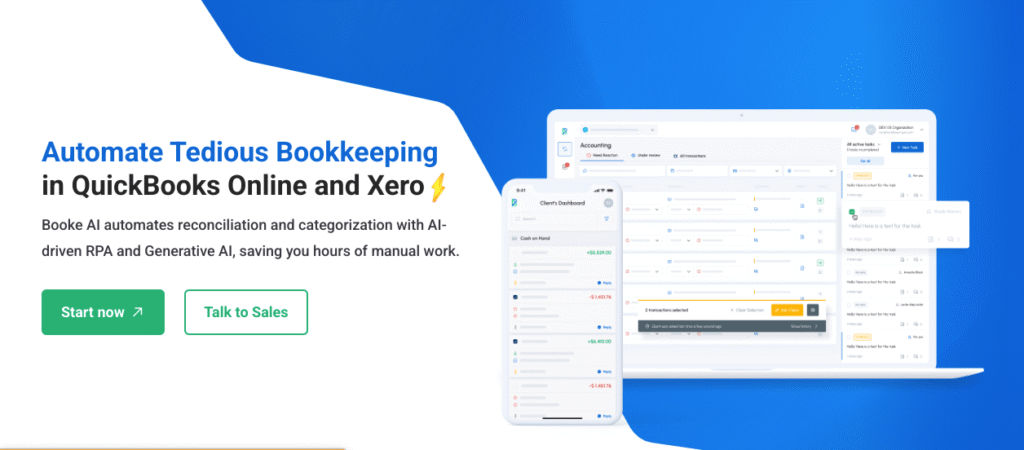
Booke AI is built for people who deal with lots of receipts, invoices, or financial documents. Instead of manually entering numbers, you can upload files and let the system extract the data for you. It then organizes everything into categories automatically, giving you clean, ready-to-use records in minutes.
Key Features
- Scans and reads invoices, receipts, and bank statements using AI.
- Automatically categorizes income and expenses with high accuracy.
- Syncs data directly with accounting platforms like QuickBooks and Xero.
- Helps accountants and business owners manage multiple clients efficiently.
Ideal User
Booke AI is perfect for accountants, agencies, or small businesses that handle high volumes of financial documents and want to cut down on manual data entry.
Limitations
- The free plan offers limited monthly document scans.
- Works best when paired with an existing accounting system rather than used on its own.
Tip: Combine Booke AI with Luca Accounts to automate both document entry and transaction analysis.
Verdict
Booke AI is a huge time-saver for anyone tired of manual bookkeeping.
It takes care of document management and data entry automatically, making financial organization simple and reliable. For businesses that process a lot of invoices or receipts, it’s one of the most practical free AI tools for accounting available.
3. Akaunting: Best Open-Source Accounting Platform
Overview
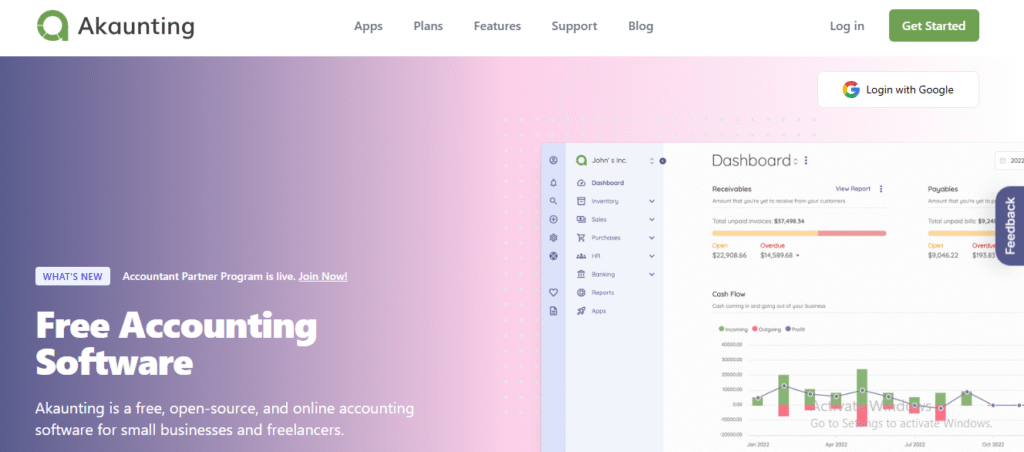
Akaunting is a free, open-source accounting system that gives you full control over your data.
It works both online and on your own server, making it a great choice for users who care about privacy and flexibility.
Key Features
- Full accounting suite with invoicing, expense tracking, and financial reporting
- Supports multiple currencies and languages for global users
- Includes a client portal where customers can view and pay invoices
- Allows local hosting for businesses that want to keep data private
Ideal User:
Freelancers or small business owners who are comfortable handling basic software setup and want a customizable system.
Limitations
- Does not use AI automation
- Requires more manual input than cloud-based options
Verdict:
Akaunting is a trustworthy, privacy-friendly accounting platform that gives users total control. It is ideal for people who prefer customization and transparency over automation.
4. ZipBooks: Best Lightweight Accounting Option
Overview
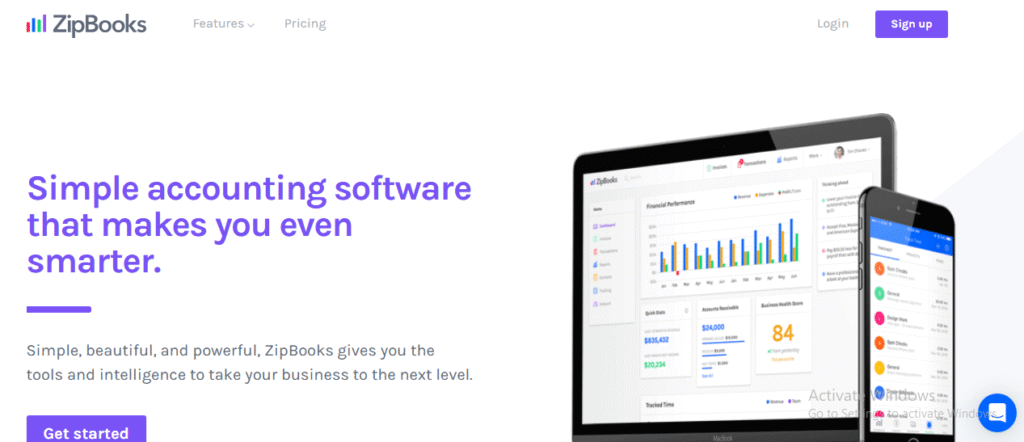
ZipBooks is a simple bookkeeping tool designed for freelancers and small teams who want to stay organized without dealing with unnecessary features.
It focuses on clarity and ease of use, offering everything you need to manage basic bookkeeping smoothly.
Key Features
- Unlimited invoicing and client management in the free version
- Expense tracking and income reporting are included
- Integrates with PayPal, Square, and Stripe for payments
- Offers straightforward financial reports that are easy to understand
Ideal User:
Freelancers, consultants, or small business owners who are new to bookkeeping and want something quick and easy to learn.
Limitations
- Limited automation and no predictive AI features
- Less suitable for growing businesses that need deeper insights
Verdict:
ZipBooks is a dependable and user-friendly bookkeeping tool. It might not have advanced AI features, but for small businesses just starting, it offers a reliable and genuinely free way to manage accounting.
Top AI Accountant for Small Businesses: Comparison Overview
Choosing the right AI accountant for your small business depends on how your business works and what you value most.
Some people want full automation, while others prefer flexibility or simplicity. The good news is that all four of these tools can make your small business bookkeeping easier; it’s just about finding the one that matches your style.
Here’s how they compare at a glance:
| Tool | AI-Powered | Free Plan | Ideal For | Standout Feature | Verdict |
| Luca Accounts (by Aiwork) | Yes | Free plan available | Freelancers and small businesses | Predictive insights and complete automation | Best overall free AI accountant |
| Booke AI | Yes | Free plan available | Accountants and agencies | AI document scanning and automatic categorization | Best for automating data-heavy workflows |
| Akaunting | No | Fully free | Tech-savvy users | Open-source flexibility and local hosting | Best for privacy and customization |
| ZipBooks | Partial | Fully free | Freelancers and small teams | Simple invoicing and a clean interface | Best lightweight option for beginners |
If you want an AI accountant that can handle your bookkeeping from start to finish, Luca Accounts is the one to beat. It automates everything, gives you real insights into your finances, and doesn’t cost a thing.
If you manage multiple clients or handle lots of receipts and financial documents, Booke AI is a fantastic companion. It automates the tedious parts of data entry and keeps everything neatly organized.
For those who prefer having control over their data or hosting their own software, Akaunting is the clear choice. And if you just want something clean and easy that keeps your finances organized without any fuss, ZipBooks fits that perfectly.
Each of these tools can make bookkeeping simpler in its own way, but Luca Accounts stands out for giving small businesses everything they need in one truly free package.
Security Features Every AI Accounting Tool Should Have
Because accounting software handles sensitive financial information, security should be a top priority.
Before choosing an AI accountant, verify that the platform provides:
- End-to-end encryption for financial data.
- Two-factor authentication (2FA).
- Secure bank-grade connections.
- Regular security audits and compliance certifications.
- Role-based permissions for teams.
- Automated data backups and recovery options.
Businesses should also review privacy policies to understand how financial data is stored, processed, and used for AI model training.
Choosing a secure platform protects not only financial information but also customer trust and regulatory compliance.
Small Business AI Accounting Tools: Free vs Paid
Not every accounting app that claims to be free actually is.
Some offer limited access or trial-based plans, while others quietly move key features behind a paywall. For small businesses, that can be frustrating when you’re trying to stay lean and efficient.
A truly free AI accountant should let you:
- Automate bookkeeping tasks like categorizing expenses and reconciling transactions
- Create and download financial reports whenever you need
- Access your data anytime without restrictions
Free tools are ideal for small businesses and freelancers who want to save time without increasing costs. Paid tools make sense once you start growing and need extras like multi-user access, payroll, or advanced forecasting.
If you want to simplify your bookkeeping and stay organized from the start, Luca Accounts gives you all the essentials with no limits or hidden costs.
Paid tools, on the other hand, are designed for businesses that have outgrown the basics. They usually include:
- Multi-user access and team collaboration tools.
- Advanced forecasting, analytics, and detailed reporting.
- Integrations with payroll, tax filing, or customer management systems.
- Higher data limits for businesses with more transactions.
The difference comes down to scale.
Free tools work best for smaller businesses that need smart automation to stay organized. Paid tools make sense once your operations expand and you need deeper control, reporting, or collaboration.
If you are at a stage where you just want things organized, efficient, and stress-free, start with a tool like Luca Accounts. It gives you everything you need to manage your books automatically, and because it is completely free, you can grow into it at your own pace without worrying about hidden costs later.
How to Choose the Right AI Bookkeeping for Your Business
By this point, you’ve seen what AI bookkeeping can do and the kinds of tools available.
The next step is figuring out which one fits your business best. The truth is, there’s no one-size-fits-all answer. It depends on what stage you’re at, how you like to work, and what kind of help you actually need.
Selecting the right AI bookkeeping tool is critical. Not every free AI accountant will fit your workflow or business stage. Here’s a step-by-step guide to make the best choice.
1. Identify Your Key Bookkeeping Tasks
Think about what part of bookkeeping takes up the most time for you.
- If you want a system that does almost everything on its own, Luca Accounts is the easiest choice. It automatically tracks income, expenses, and generates reports without you lifting a finger.
- If your biggest headache is sorting invoices and receipts, Booke AI will save you hours with automatic scanning and categorization.
Pro Tip: If your business processes dozens of invoices per week, choose a tool like Booke AI that specializes in automated document management. If your goal is full end-to-end automation, Luca Accounts is a better fit.
2. Decide Your Desired Level of Automation
Some business owners like having everything automated. Others prefer a bit more control.
- Full automation: The software handles everything from categorizing transactions to generating reports automatically. Ideal for small business owners with limited accounting knowledge. Example: Luca Accounts.
- Semi-automation: You still input some data manually, but the tool speeds up repetitive tasks. Ideal for startups that want control while saving time. Example: ZipBooks.
- Manual control with AI assistance: Best for businesses that need customization or privacy, such as those using Akaunting, which is open-source and highly flexible.
Tip: Balance your time savings with control. Too much automation without oversight may lead to overlooked errors.
3. Ask the Right Questions Before You Commit
Before committing to a tool, make sure it meets these requirements:
- Is it truly free? Some tools advertise free plans but hide key features behind paid tiers or trial limitations.
- Does it integrate with your existing platforms? Ensure compatibility with bank accounts, invoicing software, or payment platforms like Stripe, PayPal, QuickBooks, or Xero.
- Is your financial data secure? Look for encryption, two-factor authentication, and privacy compliance policies.
Pro Tip: Tools like Luca Accounts and Booke AI have strong security protocols and transparent free plans, making them reliable for small businesses.
4. Match the Tool to Your Business Stage
Your needs will evolve as your business grows.
- Early-stage startups typically need full automation with minimal setup, low cost, and easy scalability. Luca Accounts is ideal in this case.
- Growing businesses may require more flexibility or multiple tools to handle various tasks. For example, combining Booke AI for document-heavy workflows with Luca Accounts for automation ensures efficiency across departments.
- Privacy-conscious businesses or freelancers prefer tools like Akaunting that allow local hosting and complete data control.
Tip: Don’t pick a tool just because it’s popular. Consider the specific features you need now and in the near future. A scalable tool prevents switching platforms as your business grows.
5. Plan Your AI Bookkeeping Implementation
Adopting AI bookkeeping software is easier when approached in stages.
Start by:
- Connecting one bank account or payment platform first.
- Importing several months of historical transactions.
- Reviewing how the system categorizes expenses.
- Creating rules for recurring transactions.
- Reconciling accounts weekly during the first month.
Running your old bookkeeping process alongside the new system for a few weeks can help identify discrepancies before fully transitioning.
Most businesses achieve the best results by gradually increasing automation rather than automating every financial workflow immediately.
Are Small Business Owners Actually Using AI for Accounting?
If you are wondering whether AI accounting is genuinely useful or just another tech buzzword, you’re not alone.
A Reddit user, u/Chirag_koshti, recently asked this question in the r/Entrepreneurs community:
“Is AI actually helping small businesses with accounting, or is it still mostly hype?”
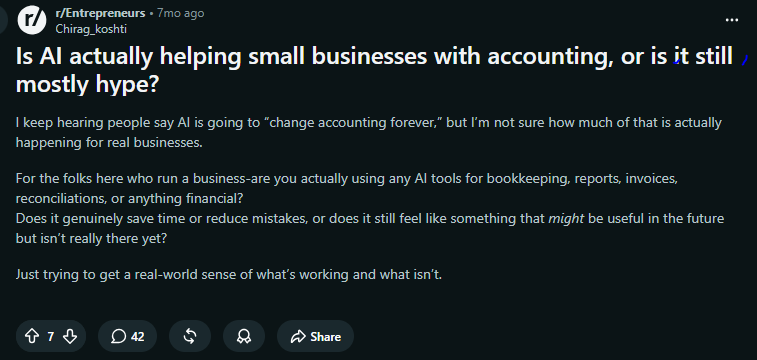
The user went on to ask whether business owners were genuinely using AI tools for bookkeeping, financial reports, invoicing, reconciliations, and other accounting tasks, or whether AI was still more of a future promise than a practical solution.
The discussion sparked responses from entrepreneurs who shared their real-world experiences, and the overall message was clear: AI is already making a difference for many small businesses.
Several business owners said that AI tools have significantly reduced the time they spend on routine bookkeeping tasks. Instead of manually categorizing transactions, reconciling accounts, or organizing receipts, they now rely on AI to handle much of that work automatically.
Many entrepreneurs reported using AI to:
- Categorize expenses and income automatically
- Speed up bank reconciliations
- Generate invoices and financial reports faster
- Reduce manual data entry and bookkeeping errors
- Get a clearer picture of cash flow in real time
At the same time, business owners pointed out that AI is not a complete replacement for an accountant. Most still review their books regularly and turn to accounting professionals for tax planning, compliance, audits, and major financial decisions.
The consensus from the discussion was simple: AI accounting is no longer a future concept. It is already helping freelancers, startups, and small businesses save time and stay organized.
The businesses seeing the best results are using AI as an intelligent assistant rather than putting their finances on autopilot. When combined with human oversight, AI can remove much of the repetitive work involved in bookkeeping and give business owners more time to focus on growing their business.
FAQs
What is the best free AI accountant for small businesses?
Can AI replace a professional accountant?
Are AI bookkeeping tools secure?
Can free AI accounting software connect to my bank account?
What bookkeeping tasks can AI automate for small businesses?
How accurate are AI accounting tools?
How does AI bookkeeping software learn my business transactions?
Choosing the Right AI Accountants: Final Thoughts
AI accounting tools are evolving fast. They’ve gone from automating simple tasks to delivering real financial intelligence. Instead of just recording what already happened, they’re starting to predict what comes next.
In the near future, AI accountants will do more than keep your books in order. They’ll help you make decisions by:
- Spotting financial trends before they happen
- Preparing and filing taxes automatically
- Offering insights through chat or voice interaction
- Connecting data across accounting, payroll, and business tools
At Aiwork, we see this future unfolding every day.
Tools like Luca are already bridging the gap between bookkeeping and business strategy. What used to take hours of number crunching now happens instantly, giving business owners insights they can act on right away.
Turn hours of bookkeeping into minutes of clarity.
Experience Luca Accounts, the free AI accountant built for small business growth.